If you are running a GPU job and you want to know how your application is using resources., you can make use of the tool nvtop.
This source of the tool that can be found here: https://github.com/Syllo/nvtop
Basic monitoring guide
- submit your GPU job
- login to the node where your job is running by using ssh
- start monitoring by enter command: nvtop at the prompt.
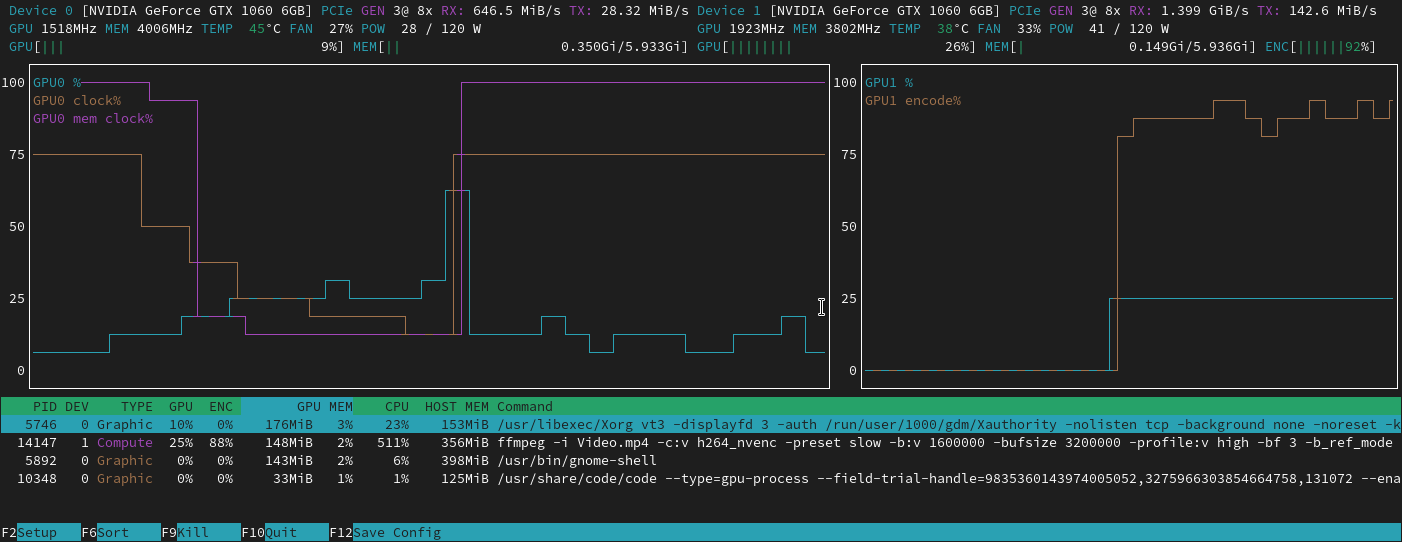
Below you see a example output generated by the tool.
Setting up power monitoring
Power utilization is often a much more accurate measure of how effectively a GPU is used than the normal measured utilization; however logging power utilization needs to be explicitely setup in nvtop.
To setup nvtop to monitor power utilization, while in nvtop:
- press F2
- navigate with the arrow keys to CHART and then press ENTER
- Similarly, then go to "Displayed all GPUs"
- Select "Power draw rate"
- press F12 to save the change
- exit setup with ESC
You will now be able to see average power utilization over time in nvtop.
For even more accurate GPU monitoring, please see our documentation on dcgmi dmon
